

Roadbook Reader
Click on the images to enlarge
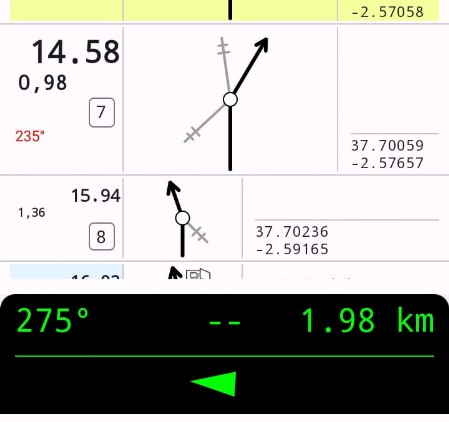
For notes with CAP, follow the bearing indicator at the bottom of the screen.
- Quick guide: recommended first test
- Install the app.
- Open the digital roadbook
- Move close the real route
- Try manual or automatic validation
- If a note contains a CAP, look at the bearing indicator at the bottom.
Away from the track, some functions cannot be tested properly.
New user? Read the manual too: it explains note colors, validation, sound alerts and CAP logic.
RB Reader – Digital Roadbook Reader for Android
RB Reader is the roadbook-system reader dedicated to viewing and interacting with the digital roadbook.
It is the main tool used by the navigator during the route.
It is compatible with all Android 8+ devices.
Main features:
- Paper replacement: turns the traditional paper roadbook into a digital format readable on a tablet or smartphone, avoiding problems of bulk, wear or damage.
- Clear and immediate reading: the interface is optimized for off-road use, with high contrast and simplified controls. The active note always remains automatically centered, a useful feature also for motorbike use.
- Integrated tripmaster: includes a digital odometer that shows total and partial distances in real time and helps the navigator follow the roadbook correctly.
- Correction and realignment: allows the tripmaster to be easily realigned in case of small route mistakes or differences between the real distance and the indicated distance
- Manual or automatic validation: RB Reader allows notes to be validated during navigation.An automatic validation mode is also available, useful for motorcyclists, cyclists and solo drivers.
- Integration with RB Ranking: the data collected during navigation can be used to generate rankings with RB Ranking in events organized with the suite.
Important note (testing and simulations):
RB Reader allows note validation only when you are close to the route and to the notes.
If you are far from the track, the app will show a “too far away” warning and it will not be possible to correctly simulate navigation from home or from another location.
To test the full functionality, you need to be physically on the route, or at least very close to the notes.
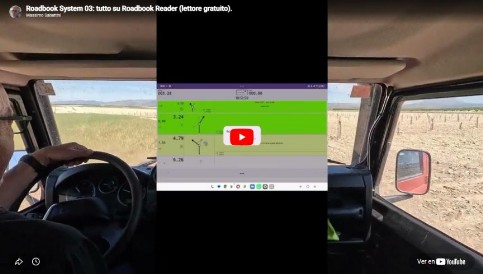
I've prepared a short video where I'll show you how to use Roadbook Reader.
Spend a few minutes, and remember... in the Downloads section, you can download the complete manual with additional details.
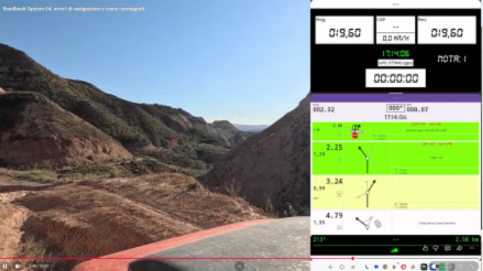
Second chapter of the roadbook-system video manuals:
Navigation errors and how to correct them.
Download:
New user? Start with the quick start guide, then read the manual or watch the videos.
User applications:
Requirements:
- Supports Android 8 or later devices.
Install on your PC:
Version 3.03 (April 3, 2026)
(APK file for Android installation + IT/ES/EN manuals)Alternatively, install directly on your Android device:
Version 3.03 (April 3, 2026)
Tripmaster (optional)
For those who still use a printed roadbook, a separate Tripmaster is also available for Android devices.
It supports paper navigation and includes total distance, partial distance, CAP, GPS speed, clock, GPS status and timer.
For those who still use a printed roadbook, a separate Tripmaster is also available for Android devices.
It supports paper navigation and includes total distance, partial distance, CAP, GPS speed, clock, GPS status and timer.
(APK file for Android installation + IT/ES/EN manuals)
Version 1.0How to install:
- download the .zip file to your computer
- extract everything
- send the .apk file to your phone
- hoose Open
- install or update the app
APK files may be reported as coming from an “unofficial source”: this is normal, because they do not come from Google Play.
You can still open them and let Google check them when requested.
You can still open them and let Google check them when requested.
iOS note: due to Apple policies, we do not provide programs for Apple iOS.